portalId 145238543 hublet eu1 environment prod defaultChatFlow ----

Cloud Scalability in Insurance: Enabling Rapid Growth

Cloud Scalability in Insurance: Enabling Rapid Growth

Choosing the right approach to cloud scalability can feel overwhelming when complex data volumes and unpredictable peaks are the new normal for Central European insurance companies. The need to efficiently handle soaring claims, regulatory shifts, and evolving customer expectations places real pressure on technology leaders. This article explains cloud scalability as it truly applies to insurance, offering practical guidance to help you build adaptable systems that deliver performance while simplifying operational hurdles.

Table of Contents

Key Takeaways

Point Details
Cloud Scalability is Essential It allows insurance platforms to adapt rapidly to changing workloads and market demands, ensuring consistent performance.
Adaptable Scalability Models Insurers should consider vertical, horizontal, and diagonal scaling to address their specific operational needs effectively.
Regulatory Compliance is Crucial A dedicated compliance monitoring team helps insurers navigate evolving regional regulations while protecting data integrity.
Proactive Risk Management Regular audits and strategic oversight can prevent cost overruns and security vulnerabilities, enhancing overall cloud infrastructure resilience.

Defining cloud scalability in insurance

Cloud scalability represents a transformative capability for modern insurance platforms, enabling organisations to dynamically adapt computing resources in response to changing business demands. At its core, cloud scalability refers to the system’s ability to efficiently handle increasing workloads, user volumes, and data complexity without compromising performance or user experience.

In the insurance sector, scalability goes beyond simple infrastructure expansion. It encompasses the strategic capacity to support complex distributed systems that can rapidly adjust to market fluctuations, customer expectations, and technological innovations. This means insurance platforms must be designed with flexible architectures that can:

  • Automatically increase computational resources during peak claim periods
  • Dynamically allocate storage and processing power
  • Maintain consistent performance under variable workloads
  • Support seamless integration of new digital services

The significance of cloud scalability becomes particularly evident when examining how insurers manage increasingly complex data ecosystems. Modern insurance platforms require robust systems capable of processing massive datasets, supporting personalised product offerings, and delivering real-time digital experiences. Cloud computing revolutionises operational agility by providing the technological foundation for these advanced capabilities.

Insurance analysts inspecting data servers

Pro tip: Design your cloud infrastructure with modularity and flexibility as primary considerations, ensuring your insurance platform can effortlessly scale without architectural constraints.

Types of cloud scalability for insurers

Cloud scalability in insurance is not a one-size-fits-all approach, but a nuanced strategy involving multiple scaling techniques designed to meet complex operational requirements. Technical studies reveal distinct scalability models that insurance organisations can leverage to enhance their technological infrastructure.

The primary types of cloud scalability for insurers include:

  • Vertical Scaling: Increasing computational capacity within a single machine
    • Involves upgrading RAM, processor speed, or storage capabilities
    • Best for applications with predictable, steady workloads
  • Horizontal Scaling: Distributing workloads across multiple machines
    • Adds additional servers to manage increased demand
    • Ideal for handling variable insurance workloads like claims processing
  • Diagonal Scaling: Combining vertical and horizontal approaches
    • Offers maximum flexibility and performance optimization
    • Allows simultaneous machine upgrades and network expansion

Workload Considerations play a critical role in selecting the appropriate scalability approach. Insurance platforms must assess factors such as data processing requirements, customer interaction volumes, and seasonal fluctuations in service demand. Horizontal scaling proves particularly advantageous for insurers managing complex, distributed computing environments that require rapid resource allocation and high availability.

Here is a comparison of cloud scalability models and their suitability for insurance use cases:

Scalability Model Ideal Use Case Strengths
Vertical Scaling Core policy admin systems Simplicity, predictable loads
Horizontal Scaling Claims surge, customer portals High availability, flexibility
Diagonal Scaling Digital transformation projects Combines capacity and agility

Effective cloud scalability transforms infrastructure from a potential bottleneck into a strategic business enabler.

Pro tip: Conduct regular performance assessments to determine which scalability model best matches your specific insurance platform’s operational dynamics and growth trajectory.
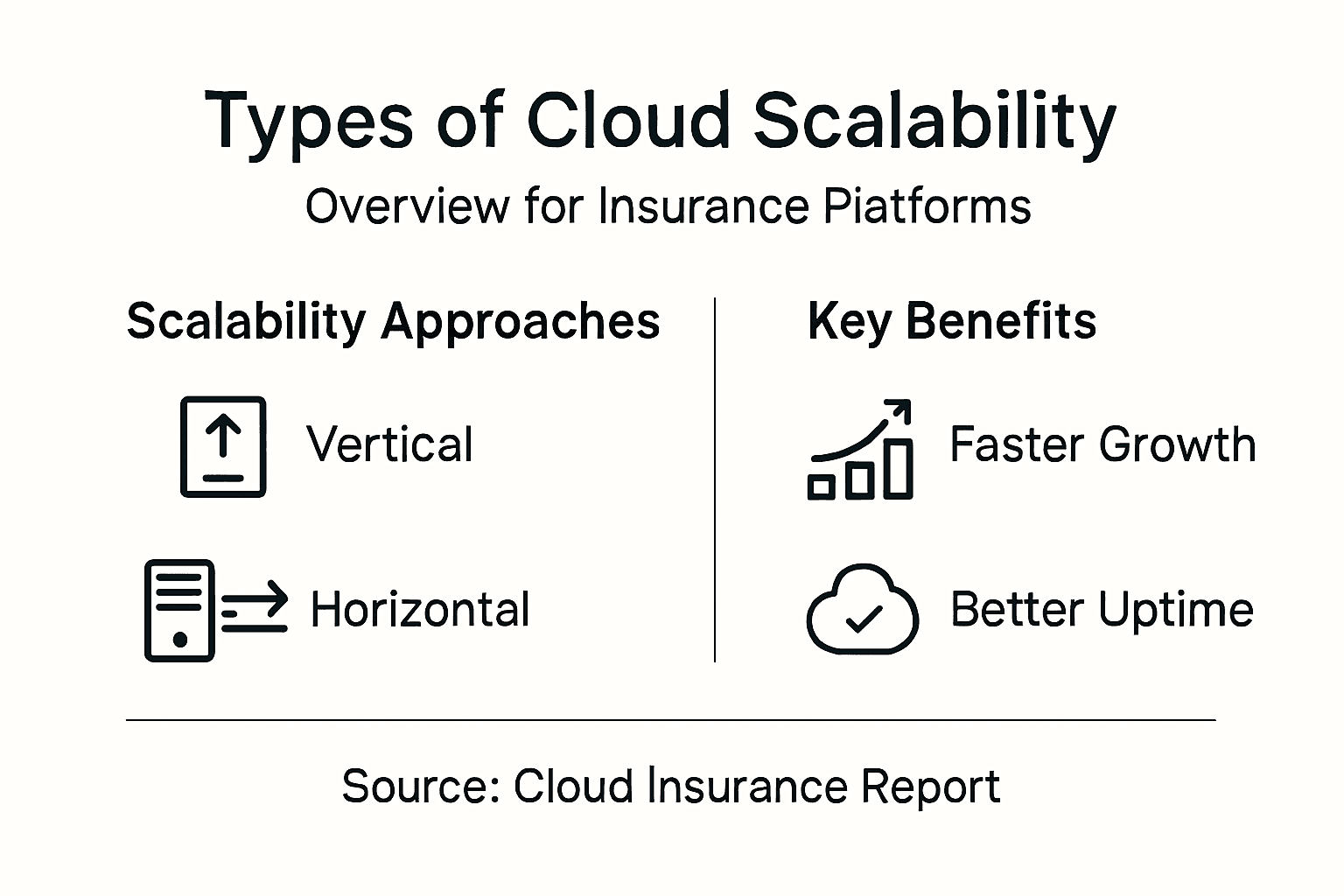
Infographic of cloud scalability types and benefits

Essential features of scalable cloud platforms

Scalable cloud platforms for insurance represent a sophisticated technological ecosystem designed to address complex operational challenges. Key features enable rapid adaptation and resilience across increasingly dynamic insurance landscapes.

The fundamental features of scalable cloud platforms include:

  • Multi-Cloud Strategy
    • Prevents vendor lock-in
    • Enhances infrastructure resilience
    • Provides flexible deployment options
  • Advanced Integration Capabilities
    • Supports seamless API connections
    • Enables rapid product development
    • Facilitates ecosystem interoperability
  • Robust Security Frameworks
    • Implements zero-trust authentication
    • Provides end-to-end encryption
    • Manages granular access controls

Modern insurers require platforms that can dynamically manage elastic resources while maintaining high performance and security standards. Microservices architecture plays a critical role, allowing insurers to develop modular, independently scalable components that can be quickly updated or replaced without disrupting entire system operations.

The following table summarises key cloud platform features and how they accelerate insurer competitiveness:

Feature Business Advantage Strategic Outcome
Multi-Cloud Strategy Greater resilience and choice Faster adaptation to disruptions
Advanced Integration Rapid partner onboarding Faster launch of new products
Robust Security Frameworks Strong customer trust Compliance and risk reduction
Microservices Architecture Scalable, modular system updates Continuous innovation

Scalable cloud platforms transform technological infrastructure from a rigid constraint into a strategic business accelerator.

Pro tip: Prioritise platforms with comprehensive monitoring and automated scaling capabilities to ensure consistent performance and cost efficiency.

Compliance, security and regional regulations

Cloud technologies in the insurance sector demand meticulous attention to regulatory frameworks, particularly within the complex European landscape. Regulation of cloud services has evolved dramatically, transitioning from operational oversight to comprehensive systemic risk management across financial technologies.

Key compliance considerations for insurers include:

  • Data Protection Requirements
    • Full GDPR compliance
    • Robust personal data encryption
    • Transparent data processing policies
  • Operational Resilience Standards
    • Continuous security monitoring
    • Incident response preparedness
    • Regular risk assessment protocols
  • Regional Data Sovereignty Rules
    • Local data storage mandates
    • Cross-border data transfer restrictions
    • Jurisdiction-specific privacy regulations

European insurers must navigate complex compliance landscapes by implementing comprehensive security frameworks that address both technological and legal challenges. This involves developing sophisticated cloud infrastructure that can dynamically adapt to changing regulatory environments while maintaining uncompromised data protection and operational integrity.

Compliance is not a destination, but a continuous journey of technological and regulatory adaptation.

Pro tip: Develop a dedicated compliance monitoring team that stays current with evolving regional regulations and can proactively update your cloud infrastructure.

Risks, cost factors and common mistakes

Cloud scalability in insurance demands a nuanced understanding of potential risks and financial complexities that can significantly impact organisational performance. Cloud cost management requires strategic oversight to prevent unexpected expenditure and operational inefficiencies.

Key risks and common mistakes include:

  • Cost Management Challenges
    • Uncontrolled resource overprovisioning
    • Fragmented departmental spending
    • Limited cloud expenditure visibility
  • Security Vulnerabilities
    • Misconfigurated access controls
    • Inadequate API security protocols
    • Potential insider threat risks
  • Compliance and Operational Risks
    • Regulatory non-alignment
    • Insufficient incident response planning
    • Complex multi-jurisdiction challenges

Insurers must proactively manage cloud security risks by implementing comprehensive monitoring systems and robust risk mitigation strategies. Understanding these potential pitfalls allows organisations to develop more resilient, cost-effective cloud infrastructures that balance technological innovation with financial prudence.

Strategic risk management transforms potential cloud vulnerabilities into opportunities for organisational growth.

Pro tip: Implement quarterly comprehensive cloud infrastructure audits to identify and mitigate potential risks before they escalate into significant operational challenges.

Best practices for efficient scaling

Efficient cloud scalability demands a strategic approach that goes beyond simple technological implementation. Insurance platforms require comprehensive scaling strategies that address complex operational requirements and technological challenges.

Key best practices for achieving efficient scaling include:

  • Multi-Cloud Architecture
    • Distribute infrastructure across multiple providers
    • Reduce vendor dependency risks
    • Enhance overall system resilience
  • Advanced Integration Capabilities
    • Implement flexible API frameworks
    • Enable rapid product development
    • Support seamless ecosystem connections
  • Security and Automation
    • Deploy zero-trust security frameworks
    • Implement continuous monitoring systems
    • Automate routine operational tasks

Successful cloud scaling necessitates a holistic approach that balances technological flexibility with strategic resource management. Insurers must develop platforms that can dynamically adapt to changing market conditions while maintaining robust security protocols and operational efficiency.

Scalability is not about expanding infrastructure, but intelligently orchestrating technological resources.

Pro tip: Develop a cross-functional team that combines technical expertise with strategic business insights to drive continuous cloud infrastructure optimisation.

Unlock Seamless Cloud Scalability with IBSuite

The article highlights how insurers face critical challenges in adapting cloud scalability to manage complex workloads while maintaining performance and regulatory compliance. Issues such as fluctuating claims volumes, rising data complexity, and the need for robust security frameworks demand a flexible, scalable platform designed specifically for the insurance industry. Identifying vertical, horizontal, and diagonal scalability models as essential, it is clear insurers require a solution offering modular, automated scaling combined with advanced integration and compliance capabilities.

IBA’s IBSuite directly addresses these needs by providing a cloud-native, API-first platform built on AWS that supports rapid scaling across the entire insurance value chain. IBSuite enables you to handle peak workloads effortlessly, accelerate product innovation, and maintain regulatory standards with Evergreen updates and integrated security frameworks. Companies seeking to modernise core systems and reduce IT complexity will appreciate IBSuite’s ability to adapt quickly to market changes without compromising on compliance or performance.

Take control of your digital transformation journey today with Book a Demo and discover how IBSuite empowers you to scale your insurance operations efficiently. Learn more about how our platform’s advanced integration capabilities and modular design align perfectly with the scalability approaches discussed. Don’t let technology hold back your growth when you can explore IBSuite’s solutions tailored for dynamic insurance business environments.

Frequently Asked Questions

What is cloud scalability in insurance?

Cloud scalability in insurance refers to the capability of insurance platforms to dynamically adjust computing resources to handle increasing workloads, user volumes, and data complexity without affecting performance or user experience.

What are the main types of cloud scalability used by insurers?

The main types of cloud scalability include vertical scaling (upgrading capacity within a single machine), horizontal scaling (distributing workloads across multiple machines), and diagonal scaling (combining both vertical and horizontal approaches for maximum flexibility).

How can insurers benefit from a multi-cloud strategy?

A multi-cloud strategy prevents vendor lock-in, enhances infrastructure resilience, and provides flexible deployment options, allowing insurers to adapt more rapidly to market demands and organisational changes.

What are some common risks associated with cloud scalability in insurance?

Common risks include cost management challenges due to uncontrolled resource provisioning, security vulnerabilities from misconfigured access controls, and compliance risks related to regulatory non-alignment.

Integrating New Insurance Channels for Seamless Growth

Integrating New Insurance Channels for Seamless Growth

Insurance managers planning integration meeting

New digital channels promise fresh growth, yet legacy systems often hold insurers back from seizing these opportunities. As property and casualty leaders in Central Europe rethink operations, aligning technology with business objectives has never felt more urgent. With digitalisation increasingly impacting insurance operations, distribution, and pricing processes, this step-by-step guide highlights how to assess, prioritise, and realise effective integration across both core systems and emerging partner channels.

Table of Contents

Quick Summary

Key Point Explanation
1. Assess Current Systems First Evaluate your existing infrastructure to identify weaknesses that might hinder growth.
2. Define Target Channels Clearly Select distribution channels based on your market strategy and customer preferences.
3. Secure API Connections Essential Implement robust security measures for API connections to protect customer data effectively.
4. Test Data Flows Thoroughly Conduct extensive testing of data flows across channels to ensure smooth operations.
5. Monitor & Optimise Performance Continuously track key metrics post-launch to identify areas for improvement and optimisation.

Step 1: Assess existing systems and business needs

Before you integrate new insurance channels, you need a clear picture of what you’re working with. This assessment tells you whether your current systems can support growth or whether they’ll become bottlenecks. Start by documenting your existing infrastructure, from core policy administration platforms to claims management systems and customer relationship tools.

Gather your IT and business teams together to map out which systems are performing well and which ones are struggling. Ask straightforward questions: Where are manual handoffs creating delays? Which systems struggle to communicate with each other? Where does data live in silos instead of flowing freely across departments? These pain points reveal where integration efforts will deliver the most value.

Data capabilities matter enormously here. Digitalisation is increasingly impacting the insurance sector’s operations, distribution, and pricing processes, and insurers in Central Europe are gathering more data and applying smarter analytics to enable personalised products and acceptance policies. Your assessment should evaluate whether your current systems can collect, store, and analyse customer data effectively. Can you personalise offerings? Can you make faster underwriting decisions based on analytics? If not, that’s a gap worth addressing.

Next, clarify your business objectives for the next two to three years. Are you planning to launch direct online sales channels? Expand through broker partnerships? Enter new geographic markets? Each objective requires different capabilities. Understanding why modernising insurance systems is crucial for growth helps you prioritise which legacy system weaknesses to address first.

Document your findings in a simple matrix showing each system, its current performance, its age, the vendor support status, and any integration capabilities. This becomes your roadmap for determining which systems need replacement, enhancement, or integration work.

Pro tip: Involve your customer-facing teams early in this assessment. They see firsthand where systems fail customers, and their insights often reveal hidden friction points that purely technical assessments miss.

Step 2: Define target channels and integration scope

Now that you understand your current systems and business goals, it’s time to decide which distribution channels make sense for your business. This step determines what you’ll actually build and integrate, so choose deliberately based on your market position and customer base.

Start by identifying all possible channels you might use. Direct online sales, broker partnerships, agent networks, comparison platforms, workplace benefits platforms, and partnerships with banks or retailers all represent viable options. The question is which ones align with your strategy and your customers’ preferences. Some channels work brilliantly in one European market but struggle in another due to cultural preferences and regulatory differences.

Understand that insurance product manufacturers must carefully select distribution channels appropriate for the target market and product characteristics. Your chosen channels need to match both your products and the customers you’re trying to reach. A complex commercial liability product requires a different channel strategy than simple personal motor insurance.

Research your specific markets thoroughly. Distribution channels in Europe vary significantly by country and product type, with direct distribution via internet or telephone growing but still secondary in many markets. What works in Germany might not work in Poland. Understand whether your target customers prefer online self-service, personal advice from brokers, or a hybrid approach. This intelligence shapes your integration priorities.

For each channel you select, define the integration scope clearly. Does the channel need real-time policy data? Must it connect to your underwriting systems? Does it require claims reporting capabilities? The deeper the integration, the more complex and costly the work becomes. Prioritise channels that deliver the highest business impact first, then plan subsequent integrations accordingly.

Analyst mapping insurance integration workflow

Create a simple one-page summary for each channel showing why you selected it, which customer segments it serves, what products flow through it, and which systems it must connect to. This becomes your integration roadmap.

Here’s an overview of typical insurance distribution channels and their key advantages:

Channel Type Main Advantage Typical Products Customer Preference
Direct online sales Immediate access, low cost Simple personal insurance Digital-first consumers
Broker partnerships Expert advice, trust factor Complex commercial lines Businesses, professionals
Agent networks Local presence, relationships Life and property policies Traditional, relationship-driven
Comparison platforms Price transparency, choice Motor, travel, life Value-focused buyers
Bank/Retail partners Bundle with existing services Mortgage, life, accident Convenience-seeking customers

Pro tip: Start with one channel that offers quick wins rather than attempting to integrate everything simultaneously. Early success builds momentum and teaches your teams valuable lessons before tackling more complex integrations.

Step 3: Configure IBSuite for new channel integration

With your channels defined and integration scope mapped out, you’re ready to configure your core platform. IBSuite’s API-first architecture makes this stage significantly more manageable than attempting integrations with legacy systems. Your goal here is to prepare the platform to connect with your chosen channels whilst maintaining data consistency and business logic across all touchpoints.

Begin by mapping your channel requirements against IBSuite’s capabilities. Which data fields must flow from your channels into policy administration? What underwriting rules need to apply regardless of sales channel? How should claims reporting work when customers interact through different channels? Document these requirements clearly because they’ll drive your configuration decisions.

IBSuite’s modular design allows you to activate features aligned with your specific channels. If you’re launching broker partnerships, you’ll configure partner portals and commission management. For direct online sales, you’ll set up self-service policy purchase workflows and digital document handling. The platform supports multiple configurations simultaneously, meaning different channels can have tailored experiences whilst sharing underlying data integrity.

API connectivity is where modern integration becomes straightforward. Configure the integration points between IBSuite and your chosen channels by defining API endpoints, authentication protocols, and data mapping rules. The platform’s cloud-native architecture handles the heavy lifting of maintaining consistency across channels. When a customer purchases through one channel and later contacts support through another, their data remains unified and accessible.

Then establish your operational workflows. Configure notifications, approval chains, and handoffs between systems. Define how underwriting decisions flow back to channels, how claims progress updates reach customers, and how billing information syncs across platforms. IBSuite’s CRM integration demonstrates how seamlessly the platform connects customer interactions across touchpoints, enabling your teams to work more efficiently.

Test each configuration thoroughly before going live with channels. Run scenarios through your new workflows to ensure data flows correctly, calculations are accurate, and customer experiences feel seamless regardless of entry point.

Pro tip: Configure one channel end-to-end first, test it thoroughly in production, then use that successful configuration as your template for subsequent channels. This approach reduces errors and accelerates your overall integration timeline.

Step 4: Establish secure API connections with partners

Secure API connections form the backbone of your channel integrations. This step protects sensitive customer data, ensures regulatory compliance, and builds trust with your partners. Done properly, secure APIs enable seamless data exchange without compromising security or creating operational friction.

Start by implementing HTTPS encryption for all API traffic. This is your baseline. Every connection between IBSuite and your partner systems must use HTTPS to protect data in transit. Beyond encryption, you’ll need robust authentication mechanisms. OAuth2 is the industry standard for insurance integrations, allowing partners to access specific data sets without ever seeing your core credentials. This approach gives you granular control over what each partner can access.

Configure your API gateway to enforce these security standards consistently. The gateway acts as a gatekeeper, validating every request before it reaches your systems. Set rate limiting to prevent accidental or malicious overloads. Monitor all API traffic continuously to catch suspicious patterns early. Establishing secure API connections requires implementing HTTPS, authentication mechanisms like OAuth2, API gateway configuration, rate limiting, and continuous monitoring.

Understand your regulatory obligations. Open Insurance driven by API integrations creates new opportunities for insurers and partners, enabling seamless data exchange under regulatory frameworks emphasising data protection and consumer consent. You must obtain explicit customer consent before sharing personal data with partners. Document which partners can access which data elements and maintain audit trails showing exactly what was accessed and when.

Test your security architecture thoroughly before connecting live partner systems. Conduct penetration testing to identify vulnerabilities. Have partners test their side of the connection as well. Create clear documentation for partners about authentication requirements, data formats, and security protocols they must follow.

Once live, monitor API connections continuously. Set up alerts for unusual access patterns, failed authentication attempts, or data requests outside normal parameters. Regular security reviews should examine logs and access patterns quarterly.

Pro tip: Start with one trusted partner to validate your API security setup before expanding to others. This allows you to identify and resolve security issues in a controlled environment rather than discovering them under production pressure.

Step 5: Test data flows and channel effectiveness

Before your new channels go live to customers, you need confidence that data moves correctly through your systems and that channels actually deliver business results. This testing phase reveals problems in controlled conditions rather than during peak trading.

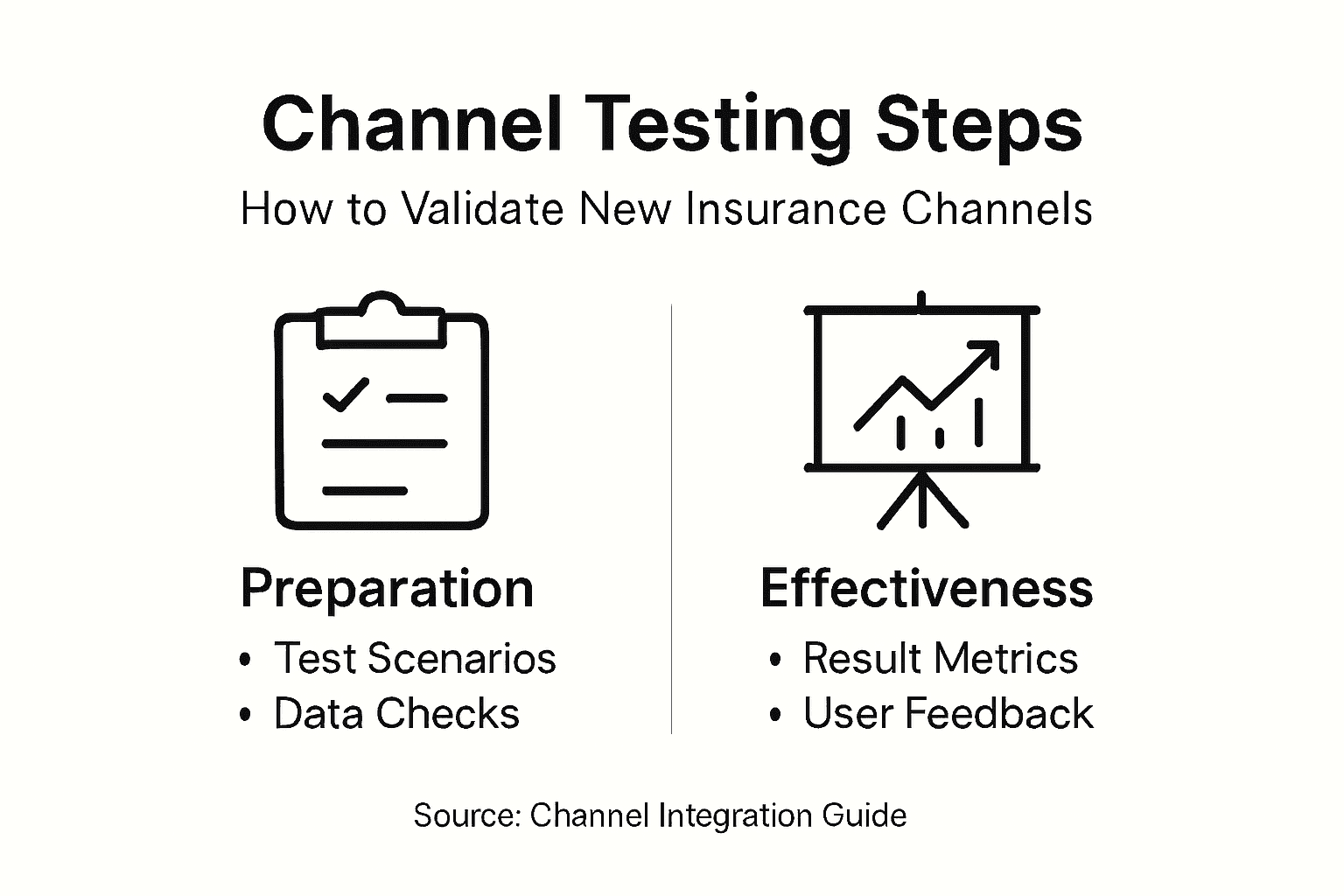
Infographic outlining insurance channel testing steps

Start by creating test scenarios that mirror real customer journeys through each channel. If you’re launching broker partnerships, simulate policy submissions from brokers, underwriting approvals, and commission calculations. For direct online sales, test complete purchase workflows from quote to policy issuance. Run these scenarios repeatedly, checking that data arrives intact in IBSuite, calculations are accurate, and downstream systems receive correct information.

Monitor data quality throughout your test runs. Do customer names come through correctly? Are premium calculations consistent across channels? Does claims data sync properly when customers file reports through different touchpoints? Testing data flows and distribution channel performance identifies opportunities and challenges in expanding digital insurance services, with pilot testing and continuous monitoring ensuring seamless operation of new channels.

Measure channel effectiveness using concrete metrics. Distribution channel effectiveness analysis involves segmenting sales by channel, measuring premium revenues, persistency rates, and conversion rates, and evaluating acquisition costs and ROI. Track how many customers complete purchases through each channel. Calculate your cost per acquisition. Examine which customer segments prefer which channels. This data shows you which channels deliver genuine business value and which may need refinement.

Load testing matters significantly. Push realistic volumes through your channels to ensure systems remain responsive under stress. If you expect 500 online quotes daily, test with 750 to see how performance holds. Identify bottlenecks before customers experience delays.

Involve your operational teams in testing. They’ll catch workflows that technically work but create unnecessary manual effort. Their feedback often reveals practical issues that technical testing alone misses.

Pro tip: Run a limited pilot with real customers using one channel before full rollout. This exposes issues in production conditions whilst limiting customer impact, and gives your teams valuable experience handling real transactions.

Step 6: Monitor performance and optimise integration

Your channels are now live, but the work doesn’t end there. Continuous monitoring reveals what’s working brilliantly and what needs adjustment. This step transforms your integration from a static launch into a dynamic system that improves over time.

Establish a monitoring dashboard that tracks the metrics that matter most to your business. Watch conversion rates by channel. Monitor average response times when customers interact with your systems. Track error rates and failed transactions. Measure customer satisfaction scores disaggregated by channel. These metrics tell you immediately whether your integration is delivering the experience you promised.

Pay close attention to data quality issues that emerge in production. Real customer behaviour often reveals edge cases your testing didn’t anticipate. Are some customer data fields consistently incomplete? Are calculations occasionally producing unexpected results? Flag these patterns and investigate root causes. European insurers prioritise digital maturity and operational resilience, investing in digital-first strategies and channel optimisation, with continuous monitoring of channel performance informing ongoing refinement of distribution strategies.

Analyse which channels drive the most valuable customers. Some channels attract high-volume but low-retention customers. Others bring fewer customers but with excellent long-term value. The European insurance distribution market increasingly leverages data analytics for performance monitoring and channel optimisation, using comprehensive metrics to guide strategic decisions on acquisitions, partnerships, and technological enhancements. Use this insight to allocate marketing budgets more effectively and refine your channel strategy.

Schedule regular optimisation cycles. Monthly reviews work well for most organisations. Examine what’s changed in customer behaviour, which integrations show bottlenecks, and where partner feedback suggests friction. Prioritise improvements that deliver the highest impact. Maybe broker partners need faster claims status updates. Perhaps online customers struggle with a specific policy type. Address these systematically.

Keep your partners informed about performance. Share relevant metrics with them and work collaboratively to resolve issues. Strong partner relationships depend on transparency and shared commitment to continuous improvement.

Below is a summary of key metrics for monitoring new insurance channel performance:

Metric Description Business Impact
Conversion rate Percentage of leads converting to sales Indicates channel effectiveness
Persistency rate Ongoing policy retention rate Reveals customer satisfaction
Average response time Speed of system interactions Affects client experience
Acquisition cost Cost per new policy sold Guides budget allocation
Customer satisfaction Scores by channel Highlights improvement areas

Pro tip: Create automated alerts for critical performance thresholds rather than waiting for monthly reviews. If conversion rates drop suddenly or error rates spike, detecting these patterns immediately allows you to investigate before customer impact grows.

Accelerate Your Insurance Channel Integration for Seamless Growth

Integrating new insurance channels can feel complex when legacy systems cause delays, data silos, and inconsistent customer experiences. This article highlights the challenges of assessing existing infrastructures, securely connecting diverse channels, and maintaining flawless data flows while meeting regulatory demands. If your goal is to expand through broker partnerships, direct online sales or comparison platforms but you struggle with technical bottlenecks or integration complexity, you are not alone. Addressing these pain points with an API-first, cloud-native solution can transform friction into opportunity.

Insurance Business Applications (IBA) specialises in helping insurers overcome these exact problems with IBSuite — a fully integrated platform designed for effortless channel integration, secure API connections, and real-time data consistency across all touchpoints. With IBSuite, you gain:

  • Streamlined onboarding of new distribution channels aligned to your business goals
  • Comprehensive API security controls to safeguard customer data
  • Modular features tailored for brokers, direct sales, and partner ecosystems
  • End-to-end workflows that ensure seamless customer journeys regardless of channel

Do not let outdated systems hold back your growth ambitions. Discover how you can modernise your insurance distribution with confidence. Explore the advantages of an API-first insurance platform and start your transformation journey today. Book a demo now and unlock faster product launches, operational resilience, and stronger customer engagement.

Frequently Asked Questions

What are the first steps to assess my current insurance systems before integrating new channels?

Begin by documenting your existing infrastructure, including core policy administration platforms and claims management systems. Involve both IT and business teams to identify areas where manual processes create delays or lead to data silos.

How do I define which distribution channels to integrate into my insurance business?

Identify potential channels like direct online sales, broker partnerships, and comparison platforms that align with your business goals. Research customer preferences and product characteristics in your target market to select channels that will effectively reach your audience.

What should I consider when configuring IBSuite for new channel integration?

Map your channel requirements to IBSuite’s capabilities, detailing necessary data flows and underwriting rules. Ensure that each channel’s configuration also aligns with the overall business logic and data consistency across all touchpoints.

How can I ensure secure API connections with my partners during integration?

Implement HTTPS encryption and robust authentication mechanisms, such as OAuth2, to protect data exchange. Regularly monitor API traffic and establish clear security protocols for partners to follow for a secure integration process.

What metrics should I monitor to evaluate the effectiveness of my new insurance channels?

Track concrete metrics such as conversion rates, acquisition costs, and customer satisfaction scores specific to each channel. Regularly analyse this data to identify patterns and areas for improvement to optimise overall channel performance.

How can I test data flows effectively before launching new insurance channels?

Create test scenarios that reflect real customer journeys through your new channels, ensuring data moves accurately within your systems. Repeat these tests to identify any inconsistencies or issues before full rollout to customers.

Cloud Migration in Insurance Guide for P&C Insurers

Cloud Migration in Insurance Guide for P&C Insurers

Insurance IT team reviewing cloud migration plan

Legacy systems in Central European insurance companies often create more challenges than solutions, holding back both agility and cost efficiency. For Chief Information Officers aiming to realise the promise of cloud migration, the path forward is marked by technical debt, strict regulatory requirements, and the need for genuine stakeholder alignment. This guide unpacks practical strategies for balancing operational improvement with regulatory compliance throughout every phase of your cloud journey.

Table of Contents

Quick Summary

Key Point Explanation
1. Document Legacy Systems Thoroughly Understand the functionality, dependencies, and performance metrics of current systems to identify cloud migration opportunities effectively.
2. Involve Compliance Teams Early Engage compliance and risk management teams from the outset to prevent regulatory issues and ensure alignment with oversight requirements throughout migration.
3. Use the 7R Framework for Migration Categorise applications based on their migration potential: rehost, replatform, refactor, repurchase, retire, retain, and relocate to optimise cloud transition.
4. Implement a Change Freeze Before Migration Initiate a change freeze shortly before migration to avoid complications from last-minute changes, ensuring a smoother cutover process.
5. Conduct Comprehensive Compliance Verifications Validate that all regulatory requirements are met post-migration, including data residency, encryption, and audit trails, to maintain compliance and operational integrity.

Step 1: Assess legacy systems and regulatory requirements

Before you move anything to the cloud, you need a clear picture of what you’re actually working with. This means examining your current systems in detail—what they do, how they perform, where the pain points live, and how they connect to everything else. It’s not glamorous work, but this assessment determines whether your cloud migration succeeds or stumbles.

Start by documenting your existing core systems, policy administration platforms, claims engines, billing software, and any custom-built applications that handle critical functions. For each system, record when it was built, what programming languages it uses, how many people depend on it daily, and what data it processes. You’ll also want to understand integration points: which systems talk to each other, how data flows between them, and whether those connections are robust or fragile. This inventory becomes your foundation for determining what can migrate relatively smoothly and what requires significant rework. Legacy systems often contain business logic that nobody fully understands anymore because the original developers have moved on, which makes this documentation step even more vital.

Regulatory compliance sits alongside technical assessment with equal importance. European property and casualty insurers face specific requirements around data residency, solvency capital requirements, GDPR obligations, and sector-specific insurance regulations that vary by country. You need to understand which regulations apply to your operations and which cloud environments meet those requirements. This isn’t just about location of data centres—it includes audit trails, encryption standards, access controls, and change management procedures. Modernising core systems requires careful attention to these regulatory constraints, which often push insurers toward incremental approaches rather than big-bang replacements.

Mapping these technical and regulatory requirements side by side reveals your actual constraints. Some legacy systems may seem essential but actually hold you back from meeting newer compliance standards. Others might be fully compliant but run so inefficiently that cloud migration offers immediate operational benefits. You might discover that certain data flows violate current regulations and need restructuring regardless of cloud plans. This assessment phase typically takes 4 to 8 weeks depending on system complexity, but rushing through it means making poor decisions later that cost significantly more to fix.

Here is a summary of the types of legacy systems and their cloud migration implications:

Legacy System Type Common Challenges Migration Considerations
Policy Administration Complex business logic Requires deep documentation before migration
Claims Engine High transaction volumes Needs robust integration and data validation
Billing Software Sensitive financial data Prioritise regulatory compliance and encryption
Custom-Built Applications Unknown dependencies Demands thorough assessment and refactoring need

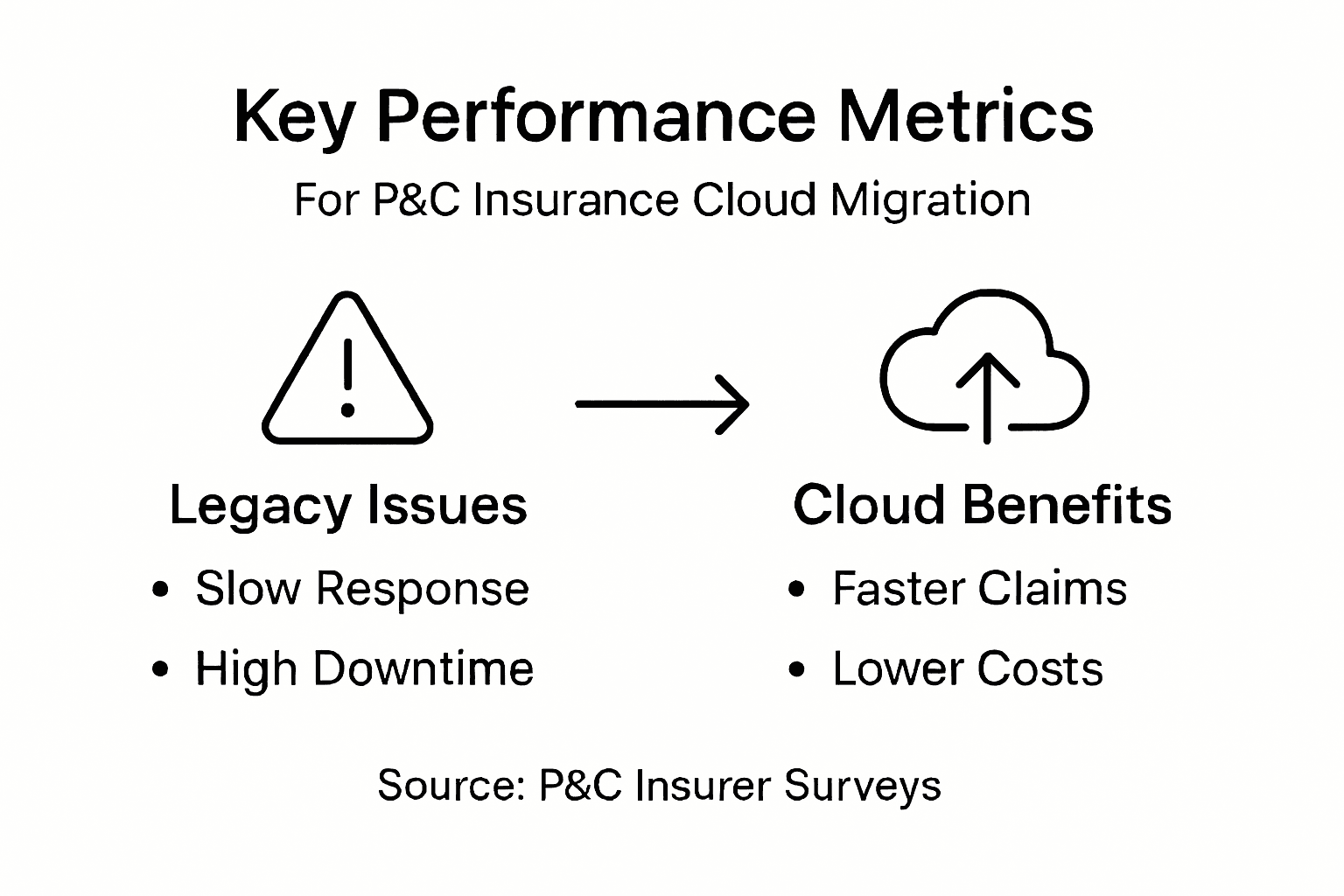
Document performance metrics too: response times, uptime percentages, error rates, and support costs. Cloud platforms often provide better performance and reliability metrics, so understanding your baseline helps you quantify improvement potential. A slow legacy claims system handling 50,000 transactions weekly represents a genuine business problem that executives understand when you show them concrete numbers rather than vague complaints.

Infographic showing key cloud migration metrics

Pro tip: Involve your compliance and risk teams in this assessment from day one rather than bringing them in after technical decisions are made. They’ll identify regulatory blockers early, preventing expensive rework and ensuring your migration plan aligns with oversight requirements from the start.

Step 2: Develop a migration roadmap and stakeholder alignment

Once you understand what you’re working with, you need a clear plan for moving forward and buy-in from the people who’ll make it happen. A migration roadmap without stakeholder alignment sits gathering dust on a shelf. Equally, stakeholder enthusiasm without a concrete roadmap leads to confusion and wasted effort. This step brings those two elements together.

Start by bringing together your key stakeholders across IT, business operations, compliance, finance, and any lines of business affected by the migration. This isn’t a one-time meeting but the beginning of ongoing collaboration. Each group sees cloud migration through a different lens: IT focuses on technical feasibility and system performance, finance worries about costs and timelines, compliance thinks about regulatory exposure, and business leaders want faster innovation and better customer experiences. Your roadmap needs to address all these concerns, which is why developing effective cloud migration strategy requires close collaboration between IT and business stakeholders from the outset. Prioritise getting these voices in the room early rather than announcing decisions after technical teams have made them.

Structure your roadmap using the 7R approach: rehost, replatform, refactor, repurchase, retire, retain, and relocate. This framework helps you categorise each application or system according to what actually makes sense for it. Some legacy systems might work perfectly well on cloud infrastructure with minimal changes (rehost). Others need updating to run efficiently in cloud environments (replatform or refactor). Some are so outdated that replacing them with modern cloud native solutions makes financial sense (repurchase). A few might genuinely work better staying on premises for now (retain). Using this structured approach prevents the trap of trying to move everything the same way, which wastes money and creates unnecessary complexity.

The following table outlines the 7R approach and its business impact on cloud migration:

7R Migration Strategy Description Typical Business Impact
Rehost Lift-and-shift to cloud Quick wins, low risk, limited optimisation
Replatform Minor cloud adjustments Enhanced performance, moderate effort
Refactor Significant code changes for cloud Greater efficiency, higher complexity
Repurchase Replace with cloud-native solutions Modern features, potential process change
Retire Remove obsolete systems Cost reduction, process simplification
Retain Keep on-premises temporarily Risk mitigation, deferred transformation
Relocate Move systems with minimal modifications Containerisation opportunities, flexibility

Once you’ve categorised your systems, build out phased waves rather than attempting everything simultaneously. Most European insurers move incrementally, balancing cost and risk management. Wave one might include non-critical systems that generate quick wins and build confidence. Wave two could tackle more complex policy administration platforms. Wave three addresses the most business critical claims systems. This phased approach lets you learn from early implementations, adjust your processes, and build internal expertise before tackling the hardest migrations. Each wave should have clear success metrics: cost savings achieved, performance improvements measured, compliance validations completed, and team readiness for the next phase.

Alignment extends beyond the initial planning phase. Strategic approaches for aligning teams within insurance require clear communication channels, centralised project tracking, and real-time collaboration throughout the entire migration. Use consistent governance structures where decisions flow clearly, responsibilities are explicit, and status updates reach stakeholders regularly. When someone from claims operations understands why a policy administration decision was made and how it affects their timeline, they become an advocate rather than a blocker. Transparency builds momentum.

Document your roadmap clearly but resist making it too rigid. Market conditions change, regulatory requirements shift, technology evolves, and unforeseen technical challenges emerge during implementation. Build in review points every quarter where you assess progress, validate assumptions, and adjust the plan if necessary. A roadmap that adapts based on real learning outperforms a fixed plan that ignores new information.

Pro tip: Designate a single executive sponsor from the business side and ensure they have decision-making authority to resolve trade-offs between departments. This prevents endless debates about priorities and ensures your roadmap moves forward rather than stalling at conflict points.

Step 3: Prepare data and applications for secure transition

Moving systems to the cloud requires meticulous preparation. You cannot simply copy everything across and hope for the best. Data quality, application readiness, security posture, and compliance validation all need attention before the actual migration begins. This preparation phase prevents costly problems during and after the move.

Begin with a comprehensive data audit. Legacy insurance systems often carry years of accumulated technical debt: duplicate records, inconsistent formats, obsolete fields, and data quality issues nobody noticed because they worked around them. During migration, these problems surface immediately. Identify duplicate customer records across your policy administration and claims systems, standardise date formats and field mappings, remove obsolete data fields that serve no purpose, and validate critical data against your regulatory requirements. For claims systems, this means verifying that injury descriptions, liability assessments, and settlement amounts follow consistent patterns. For policy administration, ensure policyholder contact information, coverage details, and premium calculations are accurate and complete. This cleaning process typically consumes 15 to 25 percent of your total preparation timeline but prevents far more painful cleanup work later.

Application preparation runs parallel to data work. Review each application or system scheduled for migration and document its current dependencies, integrations, performance characteristics, and security configurations. Does your policy administration system connect to external rating engines? Does your claims system feed data to financial reporting tools? Identify every integration point because cloud environments may handle these connections differently. Test these integrations thoroughly in a staging environment before moving to production. Also assess your application security posture now: are you encrypting sensitive data in transit and at rest? Are access controls enforced properly? Is your audit logging comprehensive? Cloud platforms provide security capabilities, but they work only when properly configured. Ensure your applications meet modern security standards rather than assuming the cloud infrastructure will solve security gaps.

Project manager preparing insurance data migration

Data migration itself deserves careful planning. Zero downtime migration approaches protect business continuity during the transition, ensuring your claims handlers, underwriters, and customer service teams face minimal disruption. Develop a detailed migration plan that specifies exactly which data moves in which sequence, validation checks at each step, rollback procedures if something goes wrong, and communication protocols for notifying stakeholders of progress. Test your migration process end-to-end in a staging environment using production data volumes and realistic timelines. Nothing reveals problems faster than practising the actual migration before you do it for real. Document everything discovered during testing and update your procedures accordingly.

Security validation requires special attention. Verify that encrypted data remains encrypted throughout the migration process. Confirm that access controls apply correctly in the new cloud environment. Validate that your compliance requirements around data residency and audit trails are met. Run penetration testing or security assessments on your new cloud setup before moving live. Insurance systems handle sensitive information about customers and claims, making security breaches catastrophically expensive. The investment in thorough security validation before migration far exceeds the cost of discovering security gaps afterwards.

Communicate transparently with your operational teams throughout preparation. Claims handlers need to understand how their workflow changes. Underwriters need to know what policy administration looks like in the new system. Customer service teams need training on any interface changes. Involve these teams in user acceptance testing rather than surprising them with changes after migration completes. Their feedback identifies usability problems and helps refine your transition plan.

Pro tip: Create a detailed rollback plan before you migrate anything, documenting exactly how you would revert to the legacy system if critical problems emerge during the transition. Having this safety net documented gives your team confidence and ensures you can make that decision quickly if necessary rather than being locked into a failing migration.

Step 4: Execute migration and enable system integration

This is where preparation meets action. You have assessed your systems, developed your roadmap, and prepared your data. Now you coordinate the actual move to the cloud and ensure all your systems work together seamlessly in their new environment. Execution requires discipline, clear communication, and rapid problem-solving when unexpected issues emerge.

Begin by implementing a change freeze period before your migration cutover window. This means no new deployments, configuration changes, or system updates across any of the systems involved in the migration. A change freeze typically starts 48 to 72 hours before cutover and prevents last-minute modifications that could complicate migration or introduce new problems. Notify all stakeholders clearly about this freeze so nobody attempts changes during this critical period. Your IT operations team, business stakeholders, and any external integration partners all need to understand that the freeze is non-negotiable. During this window, run final validation checks: verify data synchronisation between old and new environments, confirm integration connections are ready, test failover procedures, and ensure monitoring and alert systems are configured. Structured execution guidance for cloud migrations emphasises the importance of stakeholder preparation, finalising environments, and conducting careful migration cutovers to minimise downtime and ensure seamless integration.

Your cutover window requires a coordinated approach. Start by migrating non-critical systems first, even if only for validation purposes. Once you confirm that a system operates correctly in the cloud environment and its integrations function properly, you gain confidence for tackling more critical systems. For a large property and casualty insurer, this might mean moving rating engines first, then policy administration, then claims systems. Each cutover involves a precise sequence: stop processing on the old system, validate that no new data is in flight, migrate the final data increment, start the new cloud system, validate data integrity, reconnect all integrations, and test end-to-end workflows. Document every step and who is responsible for each one. Ambiguity during cutover creates chaos.

Integration testing becomes your safety net. Before switching any system to production, verify that it communicates correctly with systems already running in the cloud and those still on legacy infrastructure during any hybrid period. If your policy administration system needs to send data to your rating engine and billing system, test those connections thoroughly. If your claims system retrieves customer data from policy administration and writes settlement information to financial systems, validate those workflows work as expected. Conduct this testing in an environment that mirrors production as closely as possible, using realistic data volumes and actual system configurations.

Monitoring requires heightened attention during and immediately after cutover. Set up comprehensive logging and alerting on all systems, especially those newly migrated. Watch for performance degradation, data synchronisation delays, integration failures, or security alerts. Assign a dedicated incident response team to address problems immediately rather than waiting for normal business hours. Response time matters immensely during cutover. If a critical issue emerges at 2am on a Sunday, having a team ready to respond prevents small problems becoming catastrophic failures. Partnering with experienced technology vendors and system integrators reduces risk considerably, particularly for complex insurance platforms where integration challenges emerge regularly.

Communicate progress relentlessly. Your executive sponsor needs updates every few hours during cutover, showing which systems have migrated successfully and which face challenges. Your operational teams need to know when their systems will be available and how long any downtime will last. Your customers ultimately depend on your systems working reliably, so consider communicating status updates to them if cutover spans hours when they would normally access your services. Transparency builds confidence even when issues occur.

Validate that business processes work end-to-end once all systems are running in the cloud. Can your underwriters rate policies correctly? Can your claims handlers process claims from initial report through settlement? Can your customer service team access all the information they need? Run your documented test scenarios and watch for anything that works differently than before. Some differences might be improvements, others might represent genuine problems requiring quick fixes.

Pro tip: Maintain your legacy systems in a stable state for at least two weeks after successful cloud cutover before decommissioning them, giving yourself a safety window to address any unexpected post-migration issues without the pressure of a full rollback.

Step 5: Verify cloud deployment and ensure compliance

Your systems are now running in the cloud, but the work is far from finished. You need to verify that everything operates correctly, meets your regulatory obligations, and performs as expected. This verification phase determines whether your migration succeeded or created new problems requiring urgent attention.

Begin by running comprehensive validation tests across all migrated systems. Test your policy administration platform by creating test policies, retrieving them, modifying coverage, and generating documents. Test your claims system by submitting test claims, assigning them, creating reserves, and processing payments. Test your rating engine by running quotes across various risk profiles and coverage combinations. Test your billing system by generating invoices, processing payments, and producing financial reports. These functional tests confirm that systems work as designed in their new environment. Performance testing matters equally. Compare response times, database query speeds, report generation times, and batch processing durations against your pre-migration baseline. Cloud environments often perform better than legacy systems, but sometimes unexpected performance issues emerge due to network configurations, database indexing, or application tuning. Identify these problems now rather than discovering them when underwriters complain about slow quote systems or claims handlers struggle with sluggish workflows.

Compliance verification requires systematic attention to regulatory requirements. Your data must reside in the correct geographical region according to regulations like GDPR and local data residency rules. Verify that your cloud provider’s data centre locations match your compliance obligations. Confirm that encryption is active on all sensitive data at rest and in transit. Validate that your access controls restrict who can view policyholder information, claims details, and financial data. Run an audit trail verification confirming that all system changes, data modifications, and user access are logged properly. Managing regulatory compliance in cloud migrations requires understanding data sovereignty, regulatory frameworks, and implementing region-specific controls to maintain compliance whilst enabling cloud scalability. Document every control you’ve implemented and maintain evidence showing compliance with each applicable regulation. Regulators expect this documentation during examinations.

Integration validation confirms that systems communicate correctly in their new cloud environment. Does your policy administration system send policy data to your billing system and receive premium payment confirmations? Does your rating engine receive risk information from your underwriting system and return accurate quotes? Does your claims system retrieve policyholder information from policy administration and forward settlement data to financial reporting? Test each integration end-to-end with realistic data volumes. Some integrations work fine with 100 test records but fail under production load. Discover these issues during validation rather than when your systems are live.

Security validation goes beyond basic encryption and access controls. Conduct vulnerability scanning on your cloud infrastructure to identify any exposed configurations or missing security patches. Run penetration testing or engage external security professionals to attempt unauthorised access. This adversarial testing reveals weaknesses before attackers find them. Verify that your backup systems function correctly and can restore data if needed. Test your disaster recovery procedures by simulating a major outage and confirming you can failover to backup systems. Insurance companies cannot afford extended downtime, so these recovery capabilities matter tremendously. Effective compliance during cloud migrations requires classifying data by sensitivity, selecting compliant cloud providers, implementing strong encryption and access controls, and establishing governance policies that sustain regulatory adherence post-migration.

Validate that your monitoring and alerting systems function correctly. Confirm that you receive notifications when systems experience performance degradation, security alerts trigger, or data synchronisation fails. Test your incident response procedures by simulating a critical alert and verifying your team responds appropriately. Operational monitoring becomes your early warning system for problems, so ensure it’s configured comprehensively.

Documentation captures everything validated. Create a compliance certificate listing each regulation applicable to your operations and evidence showing compliance. Document all security controls implemented and their testing results. Record performance metrics achieved and compare them against targets. This documentation becomes essential for internal governance, regulatory examinations, and future audits.

Pro tip: Schedule your compliance verification with your internal audit team and external regulators if possible, allowing them to observe your validation processes and confirm they meet regulatory expectations rather than discovering gaps later.

Unlock Seamless Cloud Migration with IBSuite for P&C Insurers

Navigating cloud migration challenges like legacy system complexity, regulatory compliance, and secure data transition can feel overwhelming. This guide highlights how European Property and Casualty insurers must carefully assess core systems, engage stakeholders, and verify compliance to ensure a successful move. If you are dealing with complex policy administration platforms, claims engines, or billing software, then modernising your core systems must also prioritise performance, integration, and regulatory adherence.

The good news is that Insurance Business Applications offers a proven solution tailored to these exact needs. Our cloud-native IBSuite platform streamlines your entire insurance value chain—from underwriting to claims and billing—while guaranteeing continuous compliance and seamless integration. Designed with an API-first approach and hosted on AWS, IBSuite empowers you to reduce IT complexity and accelerate digital transformation with confidence.

Don’t let migration risks hold your business back. Explore how our modernisation strategies align with practical cloud migration roadmaps and compliance best practices. Take control of your cloud journey today by booking a personalised demo at Insurance Business Applications and start transforming your P&C insurance operations with agility and security.

Frequently Asked Questions

What are the first steps in assessing my legacy systems for cloud migration?

Before migrating to the cloud, you should conduct a thorough assessment of your legacy systems. Document their functionalities, performance metrics, and integration points, as well as any regulatory requirements. Start this process within the next 4 to 8 weeks to ensure proper planning and avoid costly mistakes later.

How do I ensure that my data meets compliance regulations during cloud migration?

To ensure compliance, perform a comprehensive data audit before migration. Identify and rectify issues such as duplicate records and outdated formats, and verify that your data meets relevant regulatory standards. Dedicate around 15 to 25 per cent of your preparation timeline to data cleaning to minimise risks and ensure smooth transitions.

What is the 7R approach, and how can it help my migration strategy?

The 7R approach involves categorising applications based on their migration needs: rehost, replatform, refactor, repurchase, retire, retain, and relocate. By using this framework, you can tailor your migration strategy to each system’s requirements, increasing efficiency and reducing costs. Start applying this methodology early in your planning to gain clarity on your migration path.

How can I prepare my team for changes in workflow after the migration?

Communicate openly with your operational teams about potential changes during the migration process. Involve them in user acceptance testing to gather feedback and refine your transition plan. Engage your teams at every stage to ensure they understand new workflows and systems, which can enhance their readiness and confidence.

What should I focus on during the execution and cutover phase of migration?

During the cutover phase, maintain a change freeze to avoid complications from last-minute updates. Implement a precise sequence for migrating systems, beginning with non-critical ones for validation purposes. Ensure that all integrations are tested thoroughly before and after the cutover to maintain seamless operations.

How do I validate that my systems are compliant and functioning correctly post-migration?

Run comprehensive validation tests across all migrated systems to confirm their functionality and performance against pre-migration benchmarks. Verify compliance with regulatory requirements by documenting controls and evidence of adherence. Schedule audits with your compliance team to ensure that all necessary checks are in place and functioning effectively.