25.03.26
Insurance CRM workflow guide for P&C firms: cut costs 65%

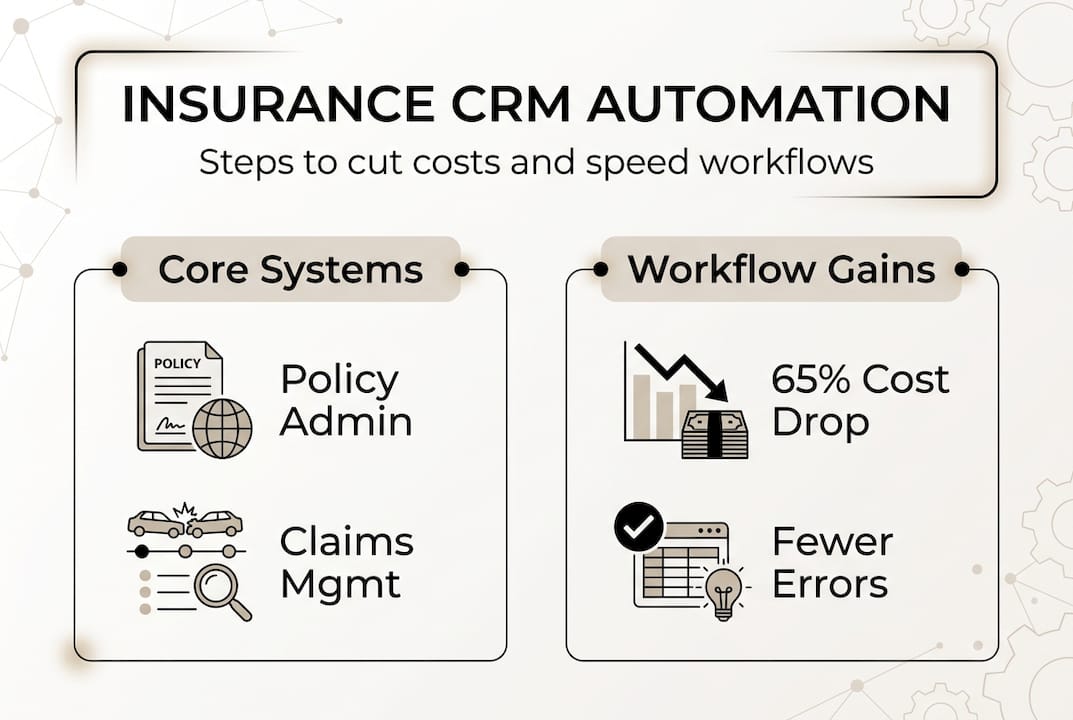
Property and casualty insurers face a pressing challenge: fragmented CRM workflows that scatter customer data across policy administration, claims management, and service systems create operational bottlenecks and inflate costs. These disconnected processes slow response times, frustrate customers, and prevent teams from accessing unified customer views when they need them most. This guide walks you through practical steps to optimise your insurance CRM workflows, from preparation and execution to verification, helping you streamline operations, reduce costs by up to 65%, and deliver faster, more responsive service to policyholders.
Table of Contents
- Key takeaways
- Understanding insurance CRM workflows and their benefits
- Preparing for successful insurance CRM workflow implementation
- Executing and optimising automated CRM workflows for P&C insurance
- Verifying success and overcoming common challenges in insurance CRM workflows
- Streamline your insurance CRM workflows with IBSuite
- Frequently asked questions
Key Takeaways
| Point | Details |
|---|---|
| Unified CRM workflows | CRM workflows connect policy administration, claims management, sales and customer service to provide a single view and automate handoffs. |
| Cost and speed gains | Automation reduces operational costs by 40 to 65 per cent and speeds processing by around 50 per cent. |
| AI driven triage | Intelligent routing based on business rules classifies incoming work by complexity and routes it to the appropriate specialist or automated process. |
| Real world gains | A regional carrier halved claims cycle from 14 to 7 days and cut policy renewal processing from 45 minutes to 12 minutes through automated triage and CRM data synchronisation. |
Understanding insurance CRM workflows and their benefits
Insurance CRM workflows represent the operational backbone of modern P&C firms, connecting previously siloed systems into cohesive processes. Insurance CRM workflows integrate policy administration, claims management, sales, and customer service for unified views and automation. This integration eliminates manual handoffs between departments and ensures every team member accesses current customer information regardless of which system originally captured it.
The mechanics behind effective CRM workflows rely on three pillars: data synchronisation across core systems, intelligent routing based on business rules, and automated task assignment. AI-driven triage analyses incoming claims or policy applications, categorises them by complexity and risk, then routes each to the appropriate specialist or automated process. Dynamic orchestration adjusts workflows in real time as new information arrives, preventing bottlenecks when claim complexity changes mid-process.
Empirical evidence demonstrates substantial operational gains from workflow optimisation. Automation reduces operational costs by 40-65%, speeds claims and policy processing by 50%, and trims underwriting times by up to 40%. These improvements stem from eliminating duplicate data entry, reducing manual review cycles, and accelerating decision-making through instant access to complete customer histories. The cost reductions materialise through decreased labour hours per transaction and fewer errors requiring correction.
Consider how digital insurance operations metrics reveal workflow efficiency gaps. One regional carrier reduced claims cycle time from 14 days to 7 days by implementing automated triage that instantly classified 60% of claims as straightforward and routed them through accelerated processing. Another insurer cut policy renewal processing from 45 minutes to 12 minutes per policy by synchronising CRM data with rating engines and document generation systems.
“Unified CRM workflows transform customer service by giving every team member instant access to policy details, claims history, and service interactions without switching between systems. This visibility enables faster resolution and more personalised service.”
The operational benefits extend beyond speed and cost. Workflow automation improves accuracy by enforcing consistent business rules across all transactions. It enhances compliance by automatically documenting every decision point and action. It boosts customer satisfaction by reducing response times and eliminating the frustration of customers repeating information to different departments.
Pro Tip: Start measuring your baseline workflow metrics now, before implementation. Track average processing times, error rates, and handoff delays for claims, underwriting, and renewals so you can quantify improvements after optimisation.
Preparing for successful insurance CRM workflow implementation
Successful workflow implementation begins months before you configure your first automated process. The foundation requires establishing data quality standards and integration architecture that support real-time synchronisation across all core systems. Many implementations falter because firms rush to add workflow features before ensuring their data and systems can support them.
Treat CRM implementation as a data and business transformation first, prioritising data and integration foundations before features. This approach prevents the common scenario where automated workflows propagate incomplete or inconsistent data across systems, creating more problems than they solve. Begin by auditing your current data quality across policy administration systems, claims management systems, and existing CRM databases.
Your preparation checklist should follow this sequence:
-
Audit and cleanse core data repositories: Identify duplicate customer records, standardise address formats, validate policy numbers across systems, and establish master data management rules that prevent future inconsistencies.
-
Map integration points and data flows: Document how information currently moves between your policy administration system, claims system, billing system, and CRM. Identify where manual handoffs occur and where data gets re-entered.
-
Design specialised workflows by transaction type: Create distinct workflow templates for simple claims versus complex claims, new business versus renewals, and standard policies versus specialty lines. Each type requires different routing rules, approval thresholds, and automation opportunities.
-
Establish governance and change management processes: Define who approves workflow changes, how you’ll test modifications before deployment, and how you’ll train staff on new processes.
-
Plan integration testing scenarios: Develop test cases that cover edge situations like mid-process policy changes, claims that escalate from simple to complex, and multi-policy customers with concurrent transactions.
Multi-carrier compliance and legacy system integration pose significant challenges during implementation. Carriers managing multiple product lines or operating in multiple jurisdictions must configure workflows that adapt to varying regulatory requirements. Legacy systems often lack modern APIs, requiring middleware or data replication strategies that add complexity and potential points of failure.

Risk mitigation starts with identifying your most critical integration challenges in insurance CRM. Document which legacy systems lack real-time integration capabilities. Determine whether you’ll use point-to-point integrations, an enterprise service bus, or API management platforms. Establish rollback procedures for when integrations fail mid-transaction.
Pro Tip: Create a dedicated integration testing environment that mirrors your production systems. Use anonymised production data to test workflows under realistic conditions, including high-volume scenarios and edge cases that rarely occur but can break automated processes.
Consider following a proven CRM implementation roadmap that phases deployment across departments or product lines rather than attempting enterprise-wide launch. This phased approach lets you refine workflows based on real-world feedback before scaling across the organisation. Start with a single product line or department that has simpler workflows and enthusiastic stakeholders who’ll provide constructive feedback.
The preparation phase typically requires 3-6 months for mid-sized carriers and longer for large enterprises with complex legacy environments. Resist pressure to compress this timeline. Inadequate preparation leads to failed implementations that erode stakeholder confidence and make future transformation initiatives harder to justify.
Executing and optimising automated CRM workflows for P&C insurance
Execution transforms your preparation work into operational workflows that process real transactions. The implementation follows a staged approach that automates high-volume, straightforward processes first, then progressively tackles more complex scenarios as your team gains confidence and experience.
Begin with these core automation stages:
-
Customer onboarding and data capture: Automate new customer record creation, duplicate checking, and initial data validation. Dynamic orchestration automates onboarding, documentation, and submission processing using intelligent document processing and AI.
-
Claims intake and triage: Configure AI-driven triage that analyses claim descriptions, policy coverage, and loss amounts to classify claims by complexity. Route straightforward claims to automated processing paths whilst directing complex claims to specialist adjusters.
-
Underwriting workflow orchestration: Build workflows that gather required documents, trigger automated risk assessments, route applications based on risk scores, and track approval progress across multiple reviewers.
-
Policy servicing and renewals: Automate routine service requests like address changes, payment method updates, and coverage modifications. Create renewal workflows that trigger 60 days before expiration and escalate when customers don’t respond.
-
Cross-functional coordination: Design workflows that span departments, such as claims that require underwriting review or policy changes that affect billing cycles.
Intelligent document processing accelerates these workflows by extracting data from unstructured documents like claim photos, medical records, and inspection reports. The technology uses computer vision and natural language processing to identify relevant information and populate CRM fields automatically, eliminating manual data entry.
Real-world results validate this execution approach. Case studies show 50% CSR training time reduction and 60% onboarding time decrease using integrated CRM workflows. These gains materialise because staff no longer need to learn multiple systems or navigate complex handoff procedures between departments.
Pro Tip: Configure your workflows with built-in feedback loops that prompt users to rate process efficiency after completing transactions. This real-time feedback identifies friction points whilst they’re fresh in users’ minds.
Optimisation requires continuous monitoring and refinement based on performance data. Track these metrics weekly during the first three months post-launch:
| Metric | Target | Monitoring frequency |
|---|---|---|
| Average claims processing time | 50% reduction from baseline | Daily |
| Workflow completion rate | >95% without manual intervention | Daily |
| Data quality errors | <2% of transactions | Weekly |
| User satisfaction score | >4.0 out of 5.0 | Weekly |
| System integration failures | <1% of transactions | Real-time alerts |
Focus your optimising underwriting workflows efforts on the highest-volume processes first. A 10% efficiency gain in a process that handles 1,000 transactions monthly delivers more value than a 30% gain in a process handling 50 transactions monthly. Use workflow analytics to identify bottlenecks where transactions queue longest or where manual interventions occur most frequently.
AI in P&C insurance workflows extends beyond simple automation to predictive capabilities. Machine learning models analyse historical workflow data to predict which claims will likely require specialist review, which policies present elevated risk, and which customers may not renew. These predictions let you proactively route transactions and allocate resources before issues arise.
Refine your workflows monthly based on accumulated performance data. Look for patterns like specific claim types that consistently require manual intervention or policy types where automated underwriting produces high exception rates. Adjust business rules, routing logic, and approval thresholds to address these patterns. Document every change and measure its impact over the following 30 days.
Pro Tip: Create a workflow optimisation team with representatives from each affected department. Meet monthly to review performance metrics, discuss user feedback, and prioritise improvements. Cross-functional input prevents optimisations that improve one department’s metrics whilst degrading another’s experience.
Verifying success and overcoming common challenges in insurance CRM workflows
Validating workflow success requires comparing your operational metrics against industry benchmarks and your own baseline measurements. Effective verification goes beyond checking that workflows function technically to confirming they deliver the promised business value.
Measure success across these dimensions:
- Processing speed: Compare current transaction times against pre-implementation baselines. Target the 40-50% improvement ranges cited in industry studies.
- Cost per transaction: Calculate fully loaded costs including labour, system expenses, and error correction. Track whether costs decreased by the expected 40-65%.
- Error and rework rates: Monitor how often transactions require manual correction or restart due to data issues or workflow failures.
- Customer satisfaction: Survey customers about response times, service quality, and ease of interaction. Workflow improvements should translate to better customer experiences.
- Staff productivity: Measure transactions processed per employee and time spent on manual tasks versus value-added activities.
Common challenges emerge even in well-planned implementations. Data inconsistencies between PAS, CMS, and CRM systems and fraud in complex claims are common edge cases requiring robust verification and integration testing. These inconsistencies manifest as workflows that halt mid-process when systems contain conflicting information about policy status, coverage amounts, or customer details.
Address these typical obstacles systematically:
- Multi-system data conflicts: Establish a master data source for each data element and configure workflows to validate against that source before proceeding. Implement real-time synchronisation rather than batch updates that create temporary inconsistencies.
- Legacy system integration failures: Build retry logic and error handling into workflows so temporary integration failures don’t require manual intervention. Create monitoring alerts that notify technical teams of persistent integration issues.
- Fraud detection limitations: Integrate fraud scoring into automated workflows so suspicious transactions route to specialist review rather than processing automatically. Update fraud rules quarterly based on emerging patterns.
- Compliance gaps: Embed regulatory requirements directly into workflow business rules. Configure automatic documentation of all decisions and actions to support audit requirements.
Compare different approaches to resolving data integrity challenges:
| Approach | Strengths | Limitations | Best for |
|---|---|---|---|
| Real-time validation | Prevents bad data from entering workflows | Adds processing overhead | High-value transactions |
| Batch reconciliation | Lower system impact | Temporary inconsistencies | Non-critical processes |
| Master data management | Single source of truth | Requires significant upfront investment | Enterprise-wide deployment |
| Manual review queues | Human judgement on edge cases | Doesn’t scale | Complex exceptions |
Implement robust insurance compliance strategies that treat regulatory requirements as workflow design constraints rather than afterthoughts. Configure workflows to automatically enforce state-specific requirements, document all processing steps for audit trails, and flag transactions that require regulatory notifications.
Troubleshooting workflow issues requires systematic diagnosis. When workflows fail or produce unexpected results, check these elements in sequence: data quality in source systems, integration connectivity and response times, business rule configuration, user permissions and access rights, and system performance under load. Most issues trace to data quality problems or integration failures rather than workflow logic errors.
Schedule quarterly workflow audits that review actual performance against design specifications. Examine a sample of completed transactions to verify they followed intended paths, applied correct business rules, and produced accurate outcomes. Interview staff who use workflows daily to identify pain points that metrics might not reveal.
Pro Tip: Maintain a workflow issue log that documents every problem, its root cause, and the resolution. This log becomes invaluable for troubleshooting similar issues and for training new team members on common pitfalls.
Streamline your insurance CRM workflows with IBSuite
Modernising your CRM workflows requires a platform built specifically for property and casualty insurance operations. IBSuite delivers an integrated digital insurance platform that unifies policy administration, claims management, and CRM into seamless workflows designed for P&C carriers. The platform supports AI-driven workflow orchestration, intelligent document processing, and real-time data synchronisation across your entire insurance value chain. IBSuite’s cloud-native architecture eliminates legacy integration headaches whilst providing the flexibility to configure specialised workflows for different claim types, policy lines, and regulatory requirements. Book a demo for IBSuite to explore how our platform can reduce your operational costs and accelerate processing times.
Frequently asked questions
What are the key components of an insurance CRM workflow?
Insurance CRM workflows integrate policy administration, claims, sales, and customer service systems into unified processes that eliminate data silos and manual handoffs. They use automation to streamline data flow, enforce consistent business rules, and enhance customer engagement across all touchpoints. Core components include data synchronisation engines, business rule configurations, task routing logic, and integration adapters that connect disparate systems.
How can AI improve underwriting and claims processing in CRM workflows?
AI enables automated triage of claims and submissions by analysing complexity, risk factors, and coverage details to route transactions to appropriate processing paths. It reduces underwriting time by up to 40% through intelligent workflow orchestration that gathers required information, triggers risk assessments, and escalates only exceptions requiring human judgement. Machine learning models continuously improve routing accuracy by learning from historical decisions and outcomes.
What are common challenges when integrating CRM with legacy insurance systems?
Legacy systems often cause data silos and inconsistencies in CRM workflows because they lack modern APIs and real-time integration capabilities. Multi-carrier environments add complexity needing thorough integration testing to ensure data synchronises correctly across policy administration, claims, and billing systems. Organisations must implement middleware solutions, establish master data management practices, and build robust error handling to overcome these integration obstacles.
Recommended
- Insurance Billing Processes – Impact on P&C Insurers
- 7 Examples of P&C Automation Every Insurer Should Know – Digital Insurance Platform | IBSuite Insurance Software | Modern Insurance System
- How to Digitize Insurance Processes for P&C Insurers – Digital Insurance Platform | IBSuite Insurance Software | Modern Insurance System
- 7 Best Underwriting Process Best Practices for P&C Firms
- CRM implementation roadmap: timeline, cost model, risks, and build vs buy decisions